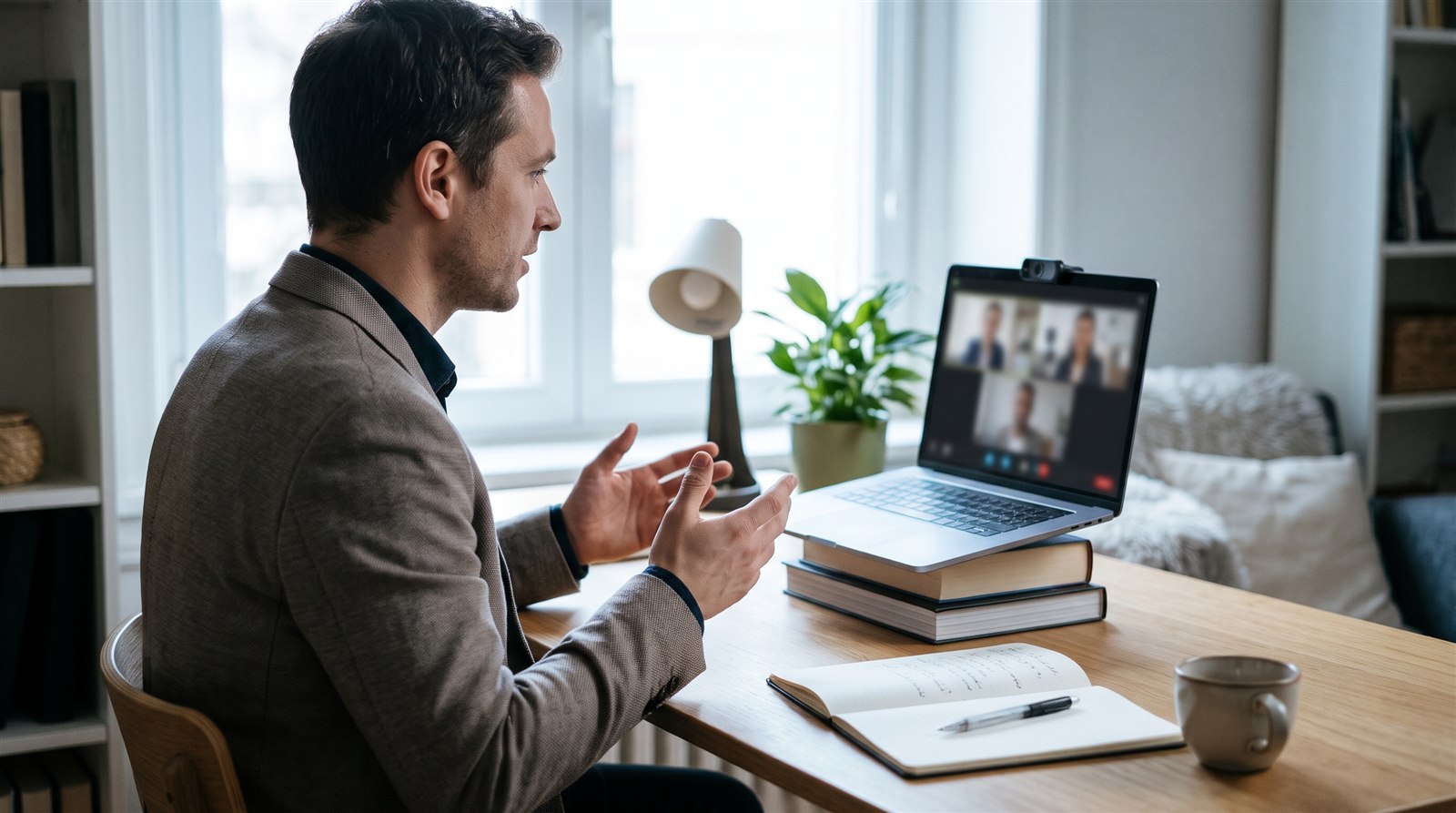
What to Wear to a Video Interview: Clothes That Read Well on Camera
A camera-first guide to video interview attire: pick a solid mid-tone top against your real wall, kill pattern shimmer, and test the whole frame in your own preview in twenty minutes.
What to wear to a video interview comes down to one idea: a solid-colour top in a mid-tone that separates from the wall behind you, with a neckline that sits below the collarbone and no fine stripes, small checks or shiny logos that shimmer on camera. Dress one notch above the company's everyday norm, at least from the waist up, and check the whole frame in your own camera preview before the call. The aim is a face the interviewer reads easily, not a formal outfit.
Why the camera changes the outfit decision
A webcam is a small sensor with aggressive auto-exposure. It compresses the range between light and dark, so two similar tones collapse into one flat shape, and it brightens or darkens the whole frame as the light changes. That has three practical consequences for video interview attire.
First, contrast is scarce. A mid-tone top against a wall of a different mid-tone still separates, because the camera keeps enough difference to draw an edge. Pure white and pure black sit at the ends of the range: white blows out and merges with a bright wall, black crushes into shadow and loses the shoulder line.
Second, fine detail is a liability. Thin stripes, small checks and tight houndstooth sit close to the pixel grid of the sensor, and the sampling produces moiré: a moving rainbow shimmer or crawling band across the fabric. You will not see it in a mirror. You will see it in the preview.
Third, the frame is tight. Head, shoulders and upper chest fill the picture, so the top half carries the whole impression. Trousers or a skirt barely appear, which is why the colour and neckline decisions deserve more of your time than the shoes.

Pick a top colour against your actual background
Match the top to the wall behind you, not to a generic safe colour. The rule is separation: the top should be clearly lighter or clearly darker than what sits behind your shoulders.
Worked example. Suppose you sit against a light grey wall. A mid-blue solid top gives a clean edge at the shoulder and around the jaw. A navy top of similar darkness to the grey wall merges at the shoulders, and the silhouette goes soft. Now suppose the wall is white. A charcoal top reads well against it; a cream top washes out, because the camera's auto-exposure pulls both towards the same bright value.
A short table makes the pattern easier to apply.
| Wall behind you | Works well | Merges or washes out |
|---|---|---|
| Light grey | Mid-blue, forest green, burgundy | Navy, mid-grey |
| White | Mid-blue, charcoal, forest green | Cream, pale pink, pure white |
| Dark wood or dark paint | Cream, light blue, soft pink | Black, navy, dark brown |
| Busy shelf or curtain | Plain mid-tone with a jacket or cardigan | Any fine pattern, any strong print |
Avoid pure white and pure black as the main block near your face. Both sit at the edge of what the sensor can hold, so one blows out and the other crushes, and either pulls the eye away from your expression.
Skip shiny satin, tight knits that catch every highlight, and anything with a large reflective logo or print. A glossy surface produces a bright patch that the auto-exposure then dims the rest of the frame to compensate for, which leaves your face underlit.
Neckline, collar and jewellery that stay put
A collar or a clean crew or V neckline frames the face and gives the camera a clear line to work with. A high turtleneck in a dark colour merges with a dark background and shortens the neck on screen. If you like a high neck, keep it in a light tone against a dark wall.
Dangling earrings, long necklaces and lanyards swing and catch light, and a moving highlight near your face is distracting in a way a still one is not. Choose small studs or nothing. A lanyard also carries a logo, which is the one piece of branding worth removing.
Glasses: tilt the lamp or the screen slightly to move the reflection off the lens rather than changing frames. A small change in angle does more than a new pair of glasses, and it takes seconds.
Hair that falls forward across the face reads as movement on camera, because every small shift changes the shadow on your cheek. Pin it back or tuck it behind your shoulders for the call. This is about the camera, not about looking tidy for its own sake.
The twenty-minute camera test before interview day
This is the part that decides the outfit. A mirror will not show you what the sensor sees.
- Open the preview. Use your meeting app's preview or the camera app, whichever you will actually use on the day.
- Sit in the real chair. Same height, same distance from the screen, same background. A different chair changes the framing and the light.
- Record thirty seconds of yourself talking. Say your answer to a common opening question; the point is to see how the fabric and the light behave while you move.
- Watch it at interviewer size. Shrink the window to the size the other person will see you, not full screen. Problems that vanish at full size are exactly the ones that show at thumbnail size.
- Change one variable at a time. Top colour first, then pattern, then neckline, so you know which change fixed the problem.
Run the pattern test inside that same session. Record a thin-stripe shirt, then a plain or coarser-weave shirt, in the same chair and light. If the stripes shimmer or crawl when you move, that is moiré, and the signal is to change the shirt. A coarser weave or a plain fabric solves it; moving the camera slightly further back and lowering the exposure helps at the margin.
Repeat the test with the light you will actually use on the day. The same top can read differently at 9am and 4pm if a window is involved, because the sun moves and the auto-exposure follows it.
Morning-of checklist
- Top colour checked against the wall behind you, not against the outfit in the mirror.
- Pattern plain, or coarse enough that it did not shimmer in the recording.
- Neckline sits below the collarbone and does not merge with the background.
- Jewellery minimal: small studs or nothing, no lanyard.
- Glasses reflection moved by tilting the light or the screen.
- Full outfit on, not just the top half.
Dress one notch above the company's everyday norm
Read the company's own public material and the recruiter's messages for the everyday norm, then go one step above it, not three. The camera rewards a clean, simple top; it does not reward formality for its own sake.
At a smart casual company, a plain knit or a shirt with a collar is enough. At a formal company, a shirt and, if you would wear one in person, a jacket. When you are unsure, a collared shirt in a solid mid-tone is the safe default for any sector, because it separates from most walls and reads as deliberate without being stiff.
Dress fully, not just from the waist up. You may need to stand for a document, a whiteboard or a stretch, and a half-outfit is the kind of thing that shows up in the one minute you did not plan for.
When the outfit step goes wrong on the day
- Pattern shimmer appears in the preview. Swap to a plain top, or move the camera slightly further back and lower the exposure.
- The top merges with the background. Add a layer in a contrasting tone, such as a cardigan or jacket, rather than changing the whole outfit.
- A stain or crease shows up late. A plain scarf, a jacket or a different top from the same drawer fixes it faster than trying to hide it with framing.
- No time to change. Adjust the light and the camera angle first. Exposure and framing change how the same top reads more than most people expect.
If you have a minute before the call, use it on the frame rather than the wardrobe. A quick look at where to look on camera is worth more than a second shirt change, and the day-before interview checklist covers the setup jobs that keep the morning calm.
What to wear to a video interview: the one rule for tonight
Test the exact top, in the exact chair, under the exact light, in the app you will use, and keep the recording. That thirty-second clip is the decision, not a dress-code list. If it looks clean at the size the interviewer sees, stop adjusting and spend the remaining time on your answers. The outfit is settled; the practice is what moves the result.
If you want a second pair of eyes on how your answers land, an AI tool can help you rehearse and structure them, but it can be wrong, so you check its suggestions and answer in your own words.
Frequently asked questions
Do I need to wear a suit to a video interview?
No. A suit is one option, not a requirement. What matters on camera is a solid mid-tone top that separates from your wall and a neckline that frames your face. Wear a jacket if the company's everyday dress is formal or if you would wear one in person, but a clean collared shirt reads well in most sectors.
What if the interviewer can only see my head and shoulders?
Then spend your effort there. The top, collar, jewellery and hair are the whole picture, so get those right and treat trousers or a skirt as a background detail. Still dress fully, because you may stand up for a document or a stretch, and a partial outfit is visible the moment the frame widens.
Should I wear the same outfit for a second-round video interview?
Yes, if it tested well and the format is the same. A second round often involves more people or a longer conversation, not a different dress code. Reuse the outfit that recorded cleanly, and re-run the short preview only if your room, your light or the app has changed since the first call.
Is it okay to wear a plain T-shirt to a video interview?
It can be, if it is a solid mid-tone with no print or logo and the company's everyday dress is casual. A plain T-shirt in a heavier cotton reads better than a thin one that catches light. Add a cardigan or overshirt if you want one step more polish without changing the whole outfit.
What should I do if my webcam makes my clothes look a different colour?
Treat the camera as the reference, not the mirror. Auto white balance shifts colour depending on the light in the room, so a warm lamp can turn a blue top green. Record a short clip under the light you will use, and if the colour still looks wrong, change the light or the top rather than trusting how it looked in daylight.
Practising your answers? See how AI Interview assistant works.